

DigiPax
Mental Health Static Meta Ad Templates
Couldn't load pickup availability
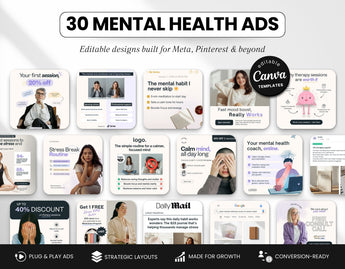
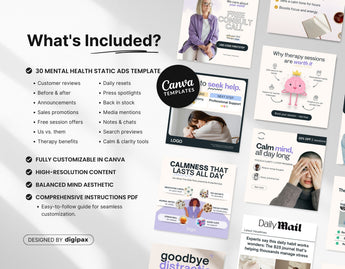
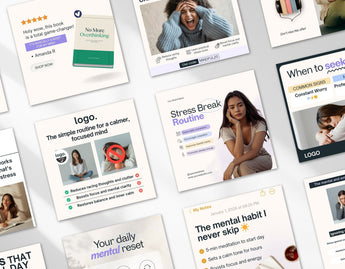
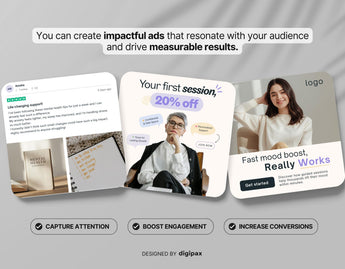
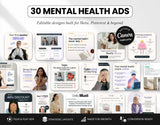
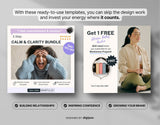
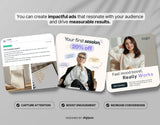
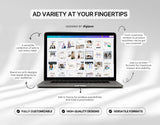
Create professional Meta ads with our 30 Mental Health Static Ad Templates, perfect for therapists, counselors, mental health coaches, and wellness professionals.
These editable Canva templates make it easy to design Facebook ads and Instagram ads that promote your therapy services, counseling sessions, mental health programs, client success stories, and coaching offers—without spending hours on design.
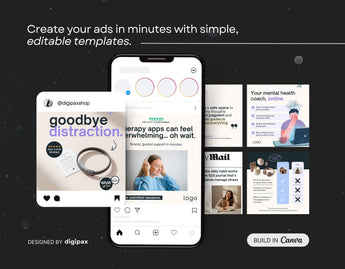
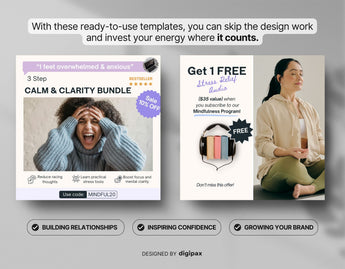
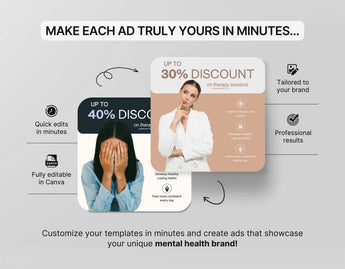
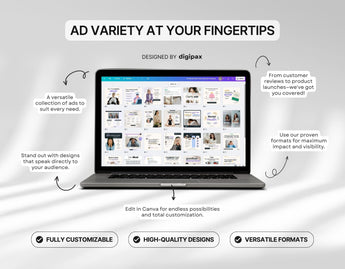
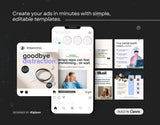
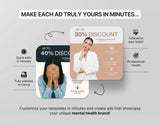
Each template is fully customizable—add your text, include your branding, and adjust colors to match your practice’s style. No design skills needed! With ready-made ad layouts, you can create polished, high-converting ads that look professional and build trust with your audience.
Perfect for running social media campaigns, this mental health ad bundle helps you attract new clients, grow your online presence, and showcase your expertise. The clean, modern design ensures your ads stand out in social feeds while reflecting the professionalism and care of your therapy or coaching services.
What's included?
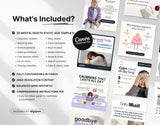
- 30 Mental Health Meta Ads (1080*1080px)
- PDF with link to the Templates in Canva + Instructions
- Full support from our team
What's not included?
- Separate post and story templates are not included.
What's editable?
The best part is that everything is editable!
You can edit the:
- Font
- Text
- Colors
- Shapes
- Background
- Duplicate or remove elements
- Change the transparency settings
- Change position of the elements
Instant Download
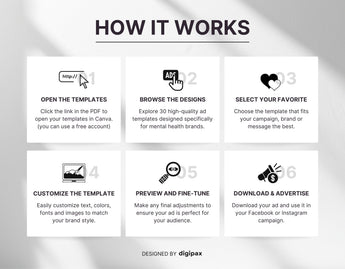
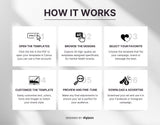
As soon as you complete your purchase, you'll receive a PDF document containing a shareable link, granting you immediate access to your templates through your Canva account – it's that simple!
How it works?


Customer reviews
Find out what people are saying about us and our templates.
So easy to use and it helped me so much!
Love this bundle so much! High quality that matched the description and surpassed my expectation in how easy it was to edit and make my own.
 Nadia
Nadia
This is a beautiful package!!!
My first time downloading a template, the directions were very easy to follow and made my job ten times easier! Anca responds thoroughly to questions and I will definitely be using more of her products!
 Amanda
Exactly what I was looking for!
Great templates, I could already use several times. Totally easy to customize. All very self-explanatory. Great value for money
 Vanessa
Perfect for what I needed!
Love this and makes my socials and website and everything coordinated I love it thank you!
 Hannie
A repeat delight from DigiPax!
Anca has done it again! Lovely Templates bundle! So beautiful, elegant, and easy to use! Anca is the best! DigiPax is my go-to shop! So grateful! Thanks... again!
 Ellen
Ellen
Fantastic product and great value
This is an awesome product for a great price! Very pleased and happy to support a fellow shop owner
 JM Retail
Frequently Asked Questions
Get quick answers to common queries. Can't find what you're looking for? Don't hesitate to contact us - we're here to help.
How can I access the templates?
Upon purchase, you will receive a downloadable PDF document containing a shared link. You can use this link to access the templates through your free Canva account.
What is CANVA?
Canva is a versatile graphic design platform that empowers you to create social media graphics, presentations, posters, documents, and other visual content. You can access it easily at www.canva.com or download the mobile app.
Are images included with the templates?
No, images are not included due to copyright considerations. You can either upload your own photos or select from the free images Canva provides.
Can I use the Instagram Templates for Facebook too?
Absolutely! Our post and story templates are versatile and compatible with both Instagram and Facebook. You can effortlessly create and share your content across both platforms.
Do you offer a Commercial license?
No, we do not currently provide commercial licenses for our products. The templates are intended for use with one (1) personal or business account. Any attempts to resell, share, redistribute, or give them away for free, including modifications for such purposes, are strictly prohibited. The end product provided to your customers must be a static file and not a Canva template.
Do I need to have a Pro Canva account to use the templates?
No, you can utilize the templates with a free Canva account; a pro subscription is not necessary. Our templates are designed and tailored for easy customization within a free Canva account.
Can I edit the templates using the Canva app on my phone?
Yes, you can edit the templates using the Canva mobile app. However, to get started, you'll need to open them from your computer first. Clicking the link in the PDF will automatically create a copy of the templates in your Canva account. This initial step must be done from a computer, after which you can use them seamlessly on your mobile phone.